
How to Post on Pinterest: A Step-by-Step Guide
Here’s a general guide on how to post on Pinterest through RobinReach:
Step-by-Step Guide :
Step 1: Access the Compose Page
- Navigate to the sidebar and click on Compose.
- You’ll be redirected to the Compose page, where you can start creating your post.

Step 2: Select Profile


Step 3: Craft Your Post
RobinReach offers powerful tools to help you create engaging content:
-
Write Your Post:
Use the text editor to craft your message, ensuring it aligns with your brand voice.
Enhance with AI:
- AI Text Improvement: Generate and refine engaging captions or content.
-
AI Image Generation: Create stunning visuals using RobinPixel to complement your posts.
Design with Canva:
-
Seamlessly integrate with Canva to create eye-catching designs directly from the Compose page.
Add Media:
- Upload images or videos from your Media Library.
- Search and add GIFs from GIPHY for fun and dynamic content.
Fill out the Options and choose board:

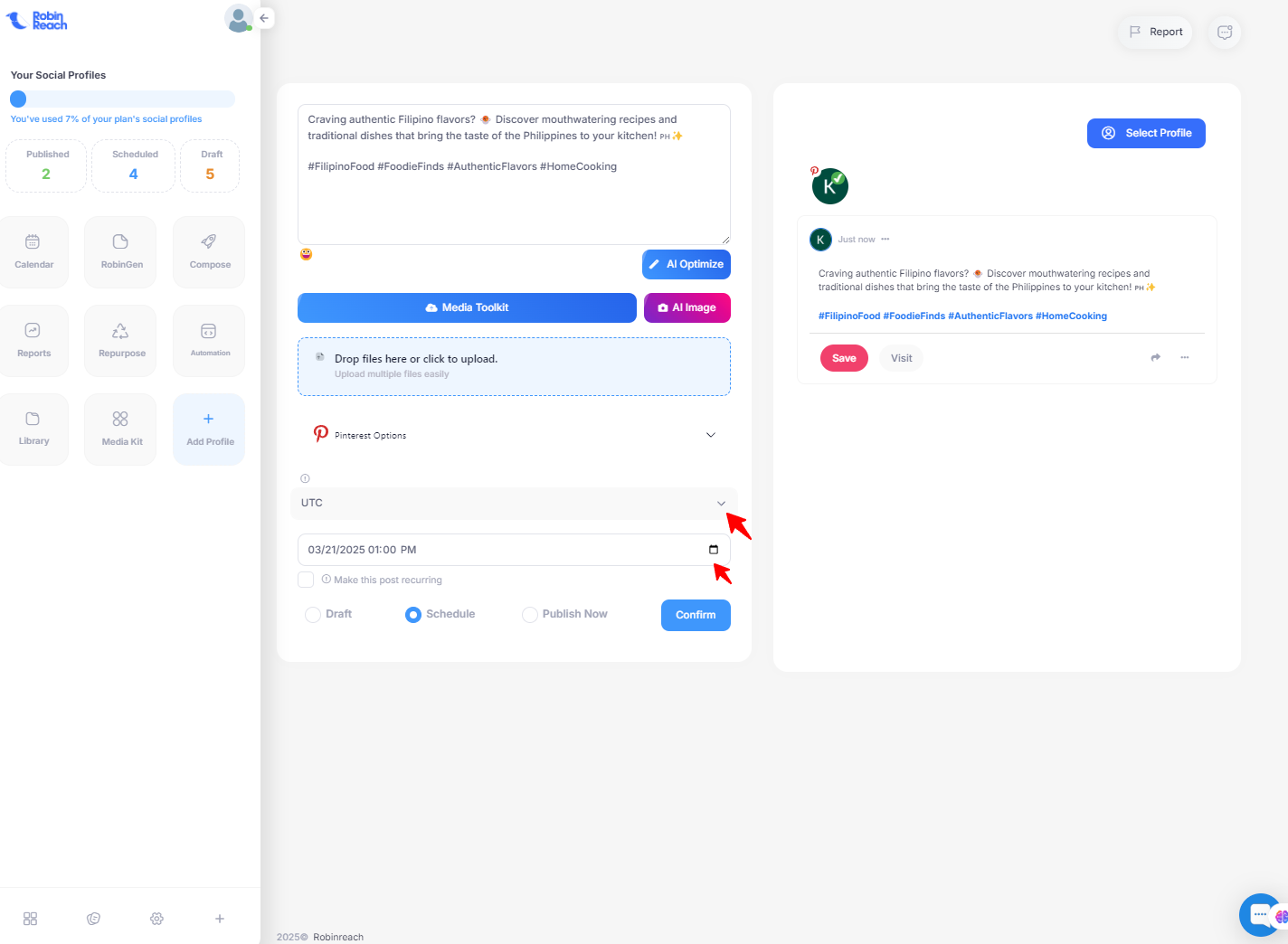
Schedule or Post Immediately
- Choose if you want to post immediately or schedule it for a later time.
-
When scheduling, be sure to select the correct timezone and choose the date and time you want your post to go live.
Review Your Post
- Double-check the content, caption, and hashtags to ensure everything looks good.
Post or Schedule
- If everything looks good, click “Confirm” to share it immediately or click “Schedule” to set a future posting time.
Monitor Your Post
- After posting, check your RobinReach dashboard for performance analytics to track how your content is doing.
If there are specific features or additional steps you’d like help with, feel free to share more details, and I can adjust the steps for you!